Client Compatibility
The GraphicMUD engine tries to provide an out-of-the-box enhanced playing experience on every MUD client. The possibilities differ from client to client though, with usually modern clients having a better experience.
In the end, this results in the following user interfaces.
Webview user interface
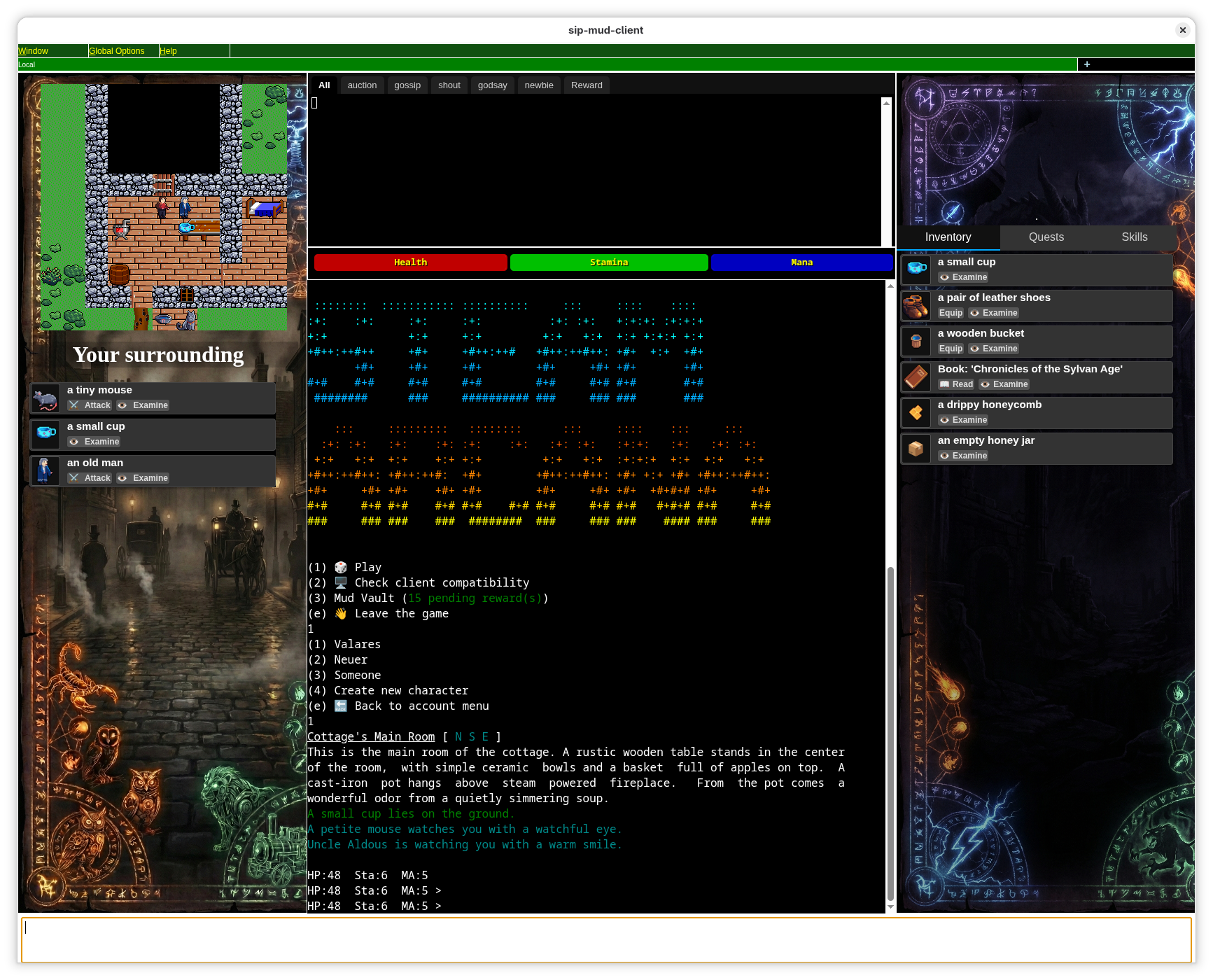 This mode opens docked web pages around the output window. This also puts the time consuming image rendering on the client side and reducing server load this way.
This requires a client with webview support, like Sip or BeipMu
This mode opens docked web pages around the output window. This also puts the time consuming image rendering on the client side and reducing server load this way.
This requires a client with webview support, like Sip or BeipMu
As of January 2026 these are only two clients:
- Sip
- BeipMu or from Windows Store
MXP Frame mode
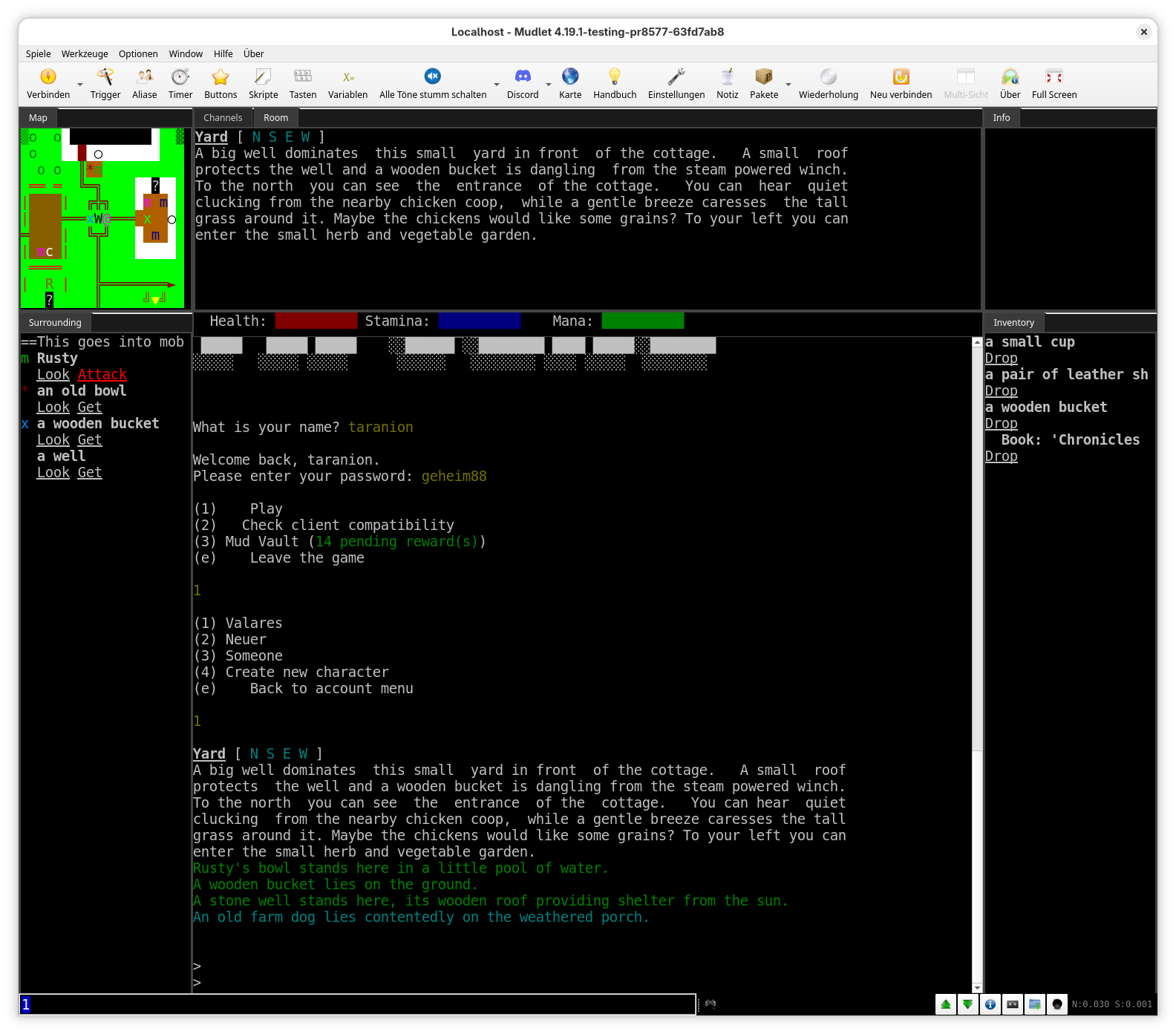
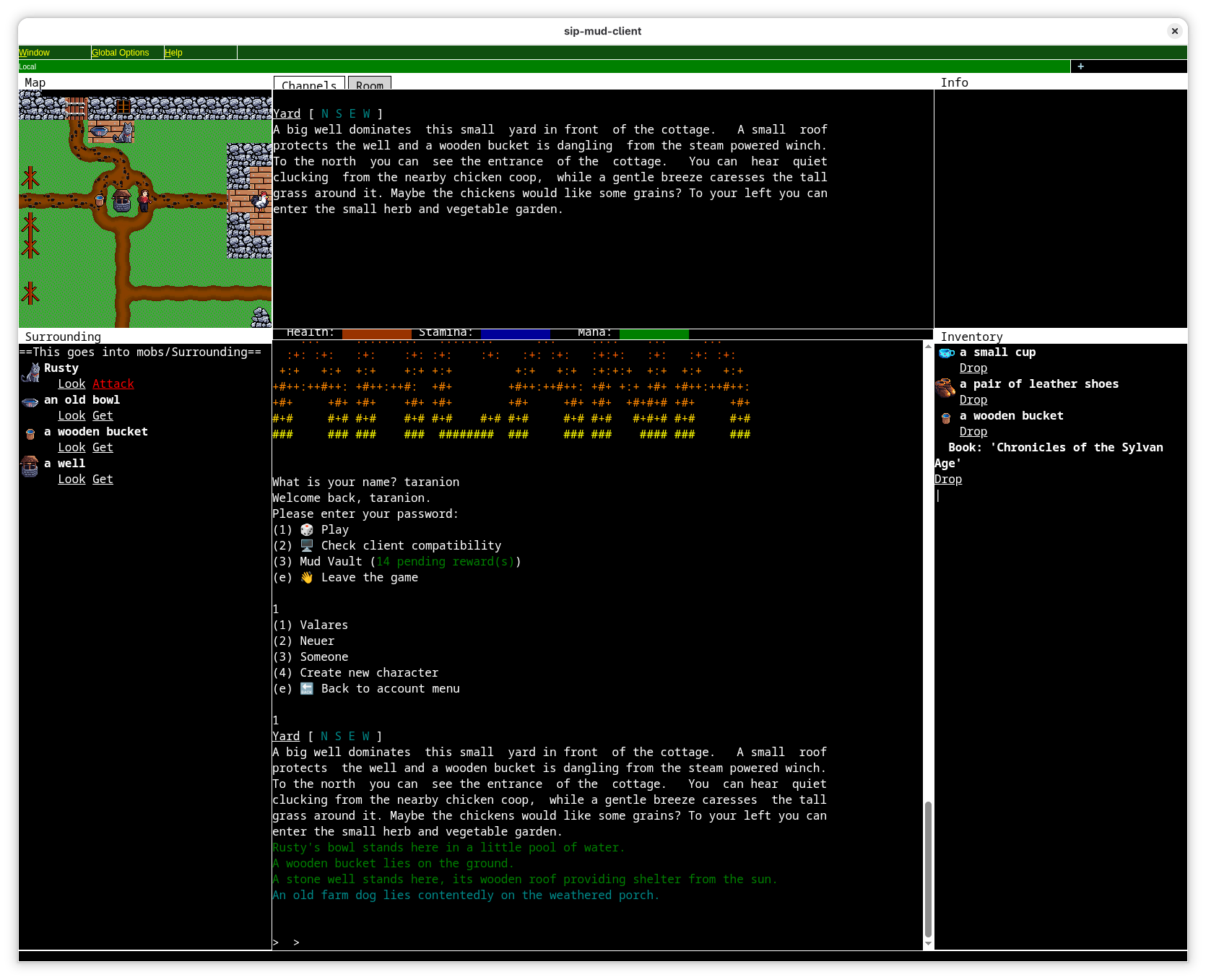 MXP frames is a feature first implemented in zMud, but really expanded in cMud. It allows splitting of mini terminal areas from the main area. Some implementations even allow tabbed areas. While this feature was more or less exclusive for cMud for a long time, it has been implemented by Mudlet and Sip in 2025.
The mode itself does not make an assumption if the map is rendered as inline images or as an ANSI map, so both are possible.
MXP frames is a feature first implemented in zMud, but really expanded in cMud. It allows splitting of mini terminal areas from the main area. Some implementations even allow tabbed areas. While this feature was more or less exclusive for cMud for a long time, it has been implemented by Mudlet and Sip in 2025.
The mode itself does not make an assumption if the map is rendered as inline images or as an ANSI map, so both are possible.
As of January 2026 these clients support MXP frames:
- Mudlet No inline images in frames, only ANSI maps. No cursor key movement
- Sip Inline images via MXP supported. Cursor key movement supported.
- cMud or zMud Should work in theory, but I don't have a cMud to test and zMud only starts once and then never again, so I cannot test it.
VT100 Terminal UI mode
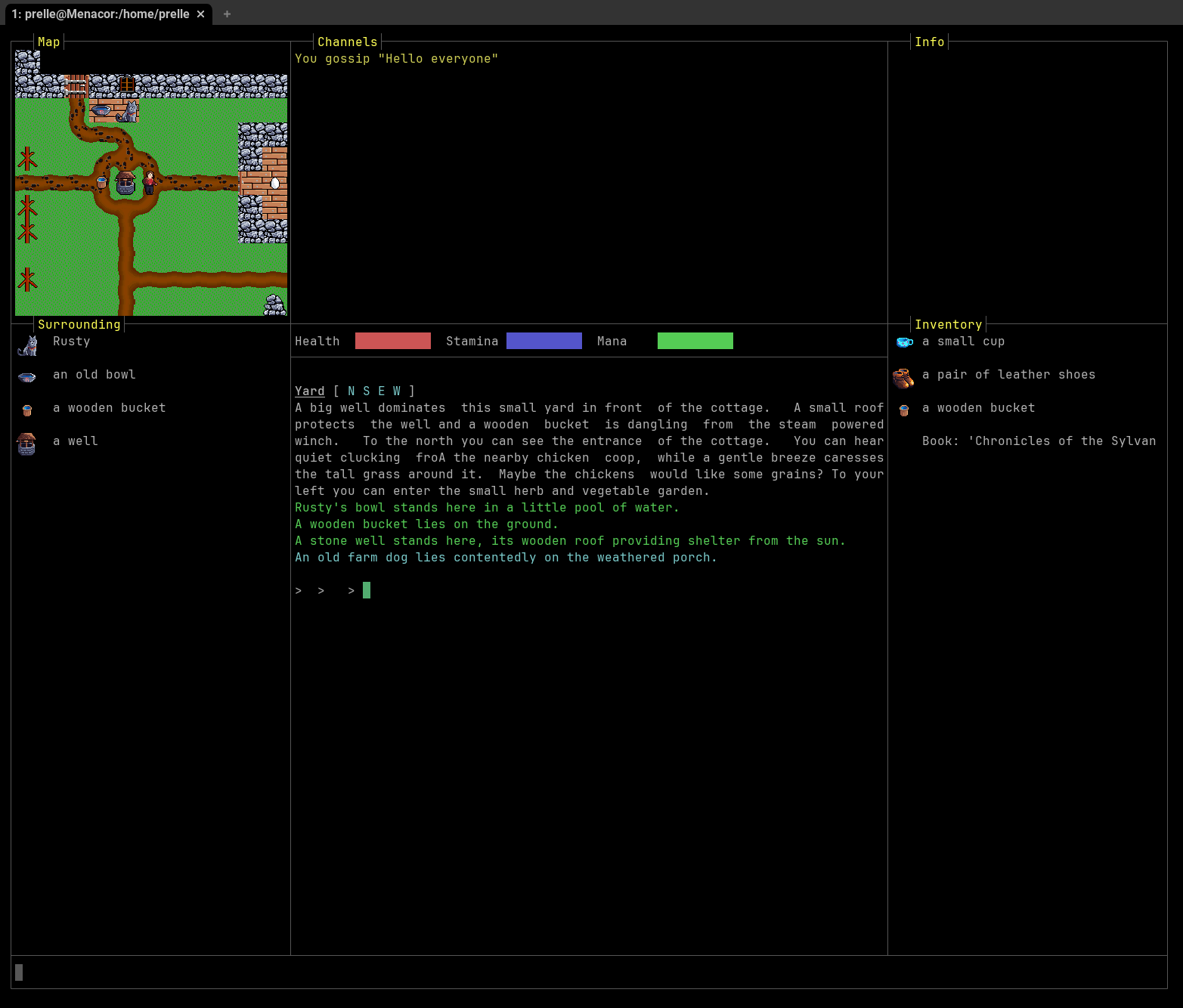
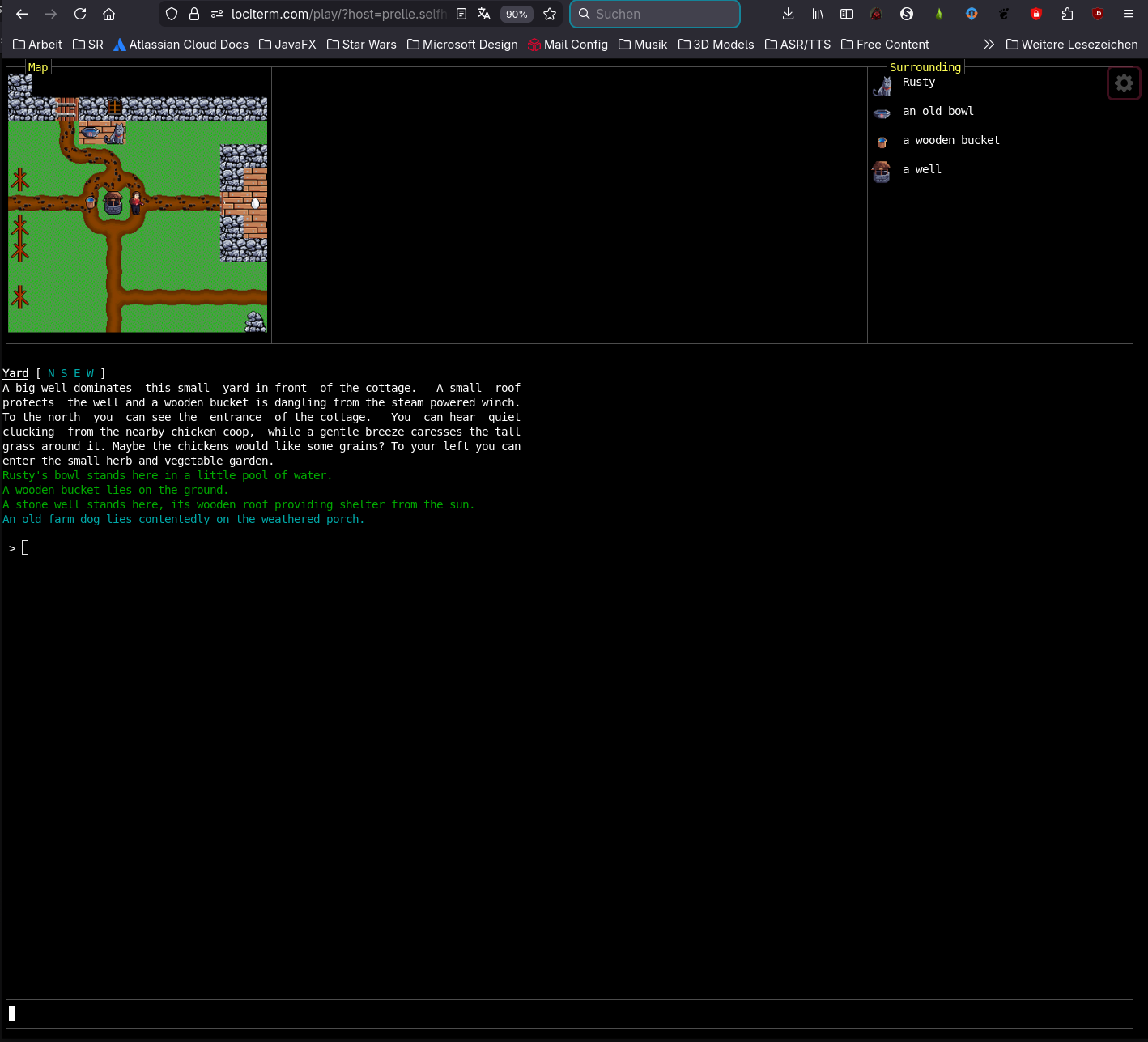
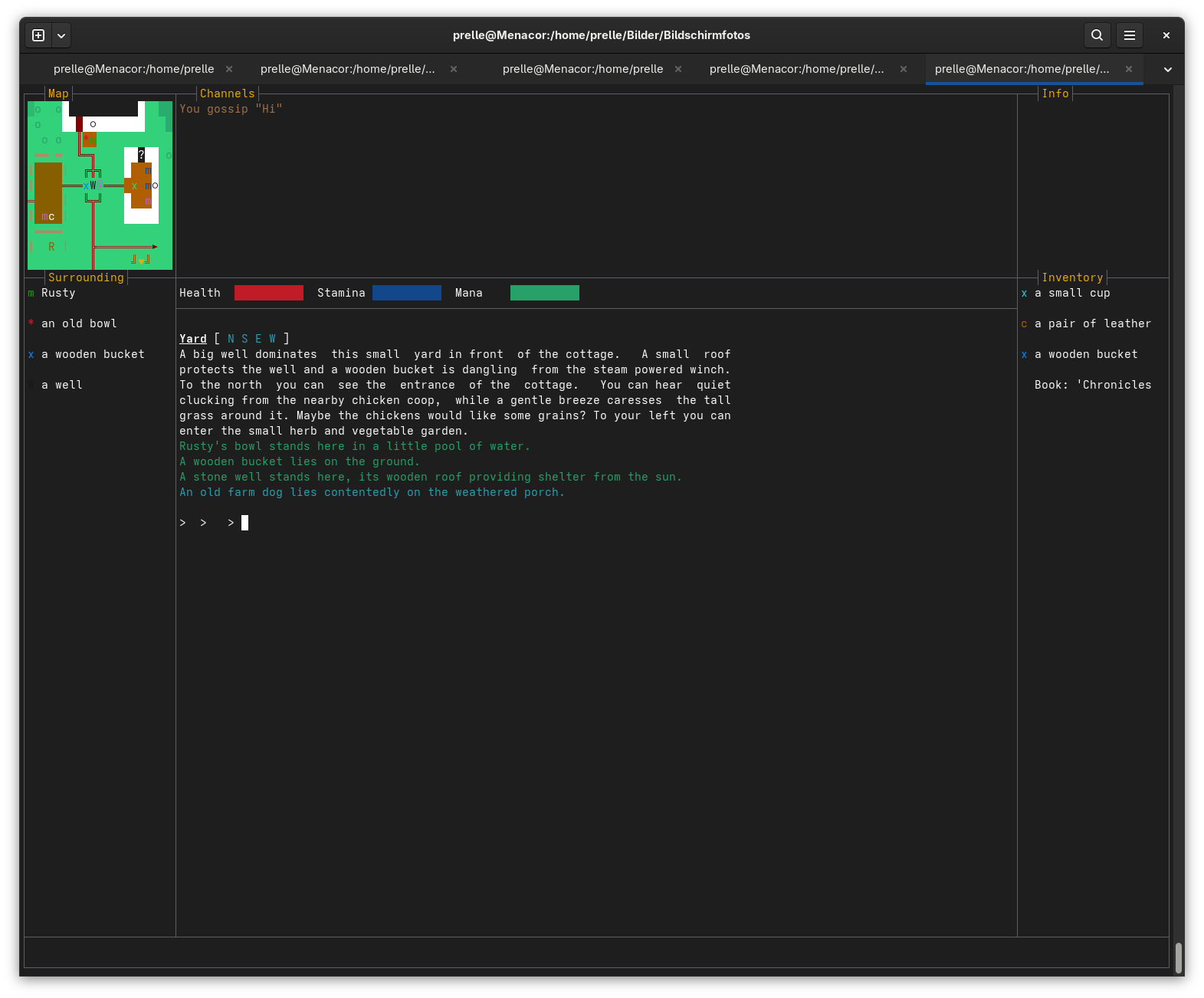 If the GraphicMUD detects clients with VT100 support - and in absence of webview or MXP frame support - it falls back to a terminal based UI.
TUI mode strongly depends on the terminal emulator capabilities. Important factors are support for inline images (Sixel, iTerm2, Kitty graphics protocol), and support for scrolling margins (to keep the map always visible while the output scrolls separately). Scrolling margins can either be just horizontally or also vertically.
Quite often a VT100 terminal client also supports character-a-time mode, so cursor key movement is possible.
If the GraphicMUD detects clients with VT100 support - and in absence of webview or MXP frame support - it falls back to a terminal based UI.
TUI mode strongly depends on the terminal emulator capabilities. Important factors are support for inline images (Sixel, iTerm2, Kitty graphics protocol), and support for scrolling margins (to keep the map always visible while the output scrolls separately). Scrolling margins can either be just horizontally or also vertically.
Quite often a VT100 terminal client also supports character-a-time mode, so cursor key movement is possible.
- LociTerm Webclient that supports iTerm2 inline images, horizontal margins, and character mode and sound
- MudForge Webclient that does not support inline images, but horizontal margins and offers additional widgets for vitals, chats ...
- telnet The Linux telnet client has the best negotiation capabilities and is able to properly interact with the terminal emulator. The actual capabilities (e.g. images) depend on the terminal emulator used. Of course there is no sound.
- TinTin++ Since the 2.02.60 release, TinTin++ has better support for VT100 features. Like telnet, the actual capabilities depend on the terminal emulator used. There are still some issues that are currently (January 2026) being worked on, e.g. a instant crash on Windows.
Plain ANSI mode
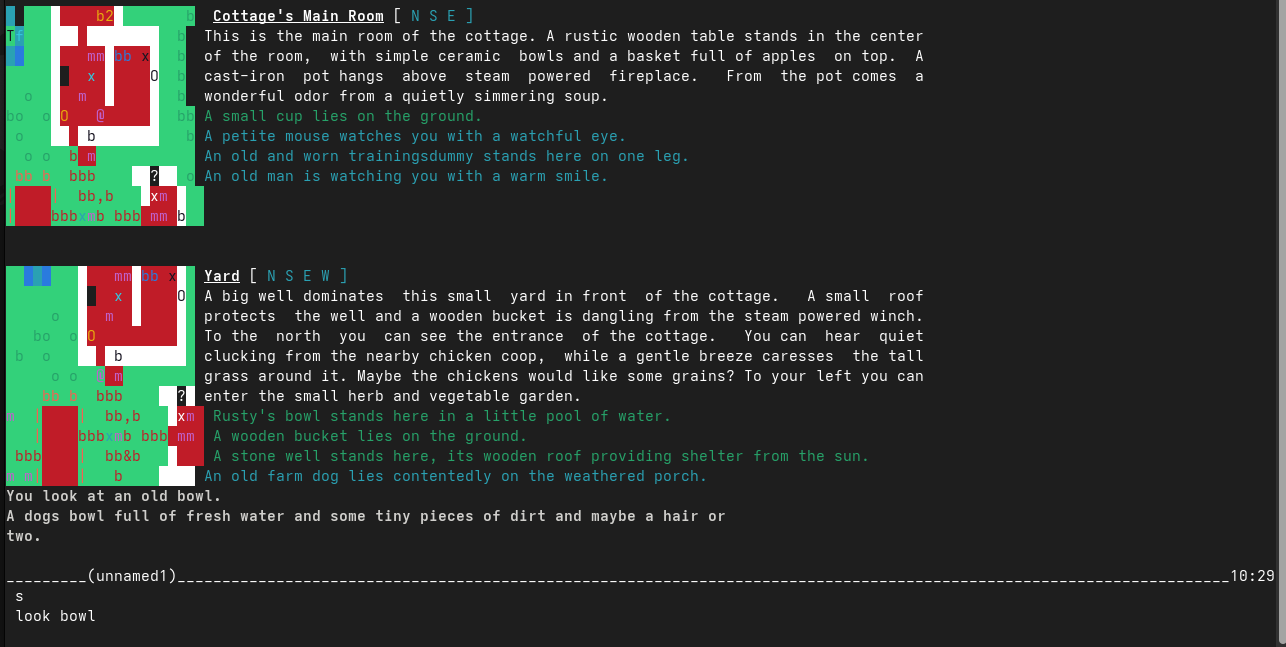 This is the fallback mode for clients that do not support any of the above features. The map is rendered as ANSI characters only, no images, no frames, no sound.
The map is only shown when the player moves from one room to another or whn the "look" command is issued.
This is the fallback mode for clients that do not support any of the above features. The map is rendered as ANSI characters only, no images, no frames, no sound.
The map is only shown when the player moves from one room to another or whn the "look" command is issued.